
MeloShort-Movies&Dramas
HALOFUN PTE. LTD.Entertainment
4.54.01K Reviews
- Version
- 2.64.02
- Installs
- 10.00M
- Age Rating
- Teen
Screenshots
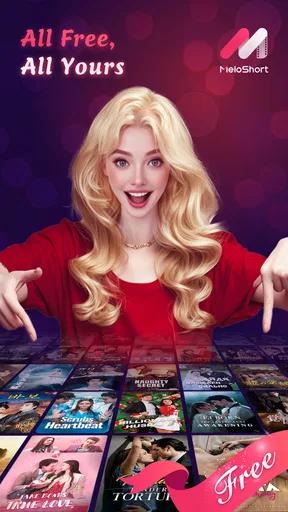
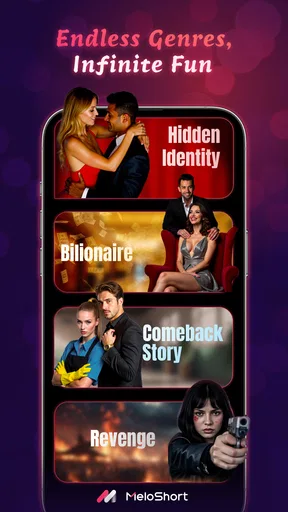
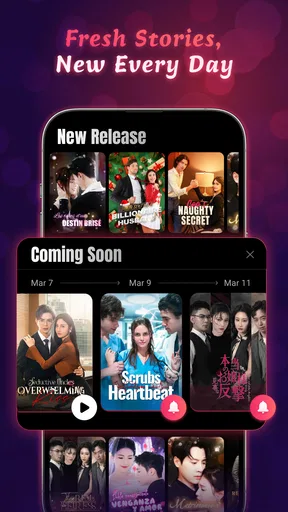

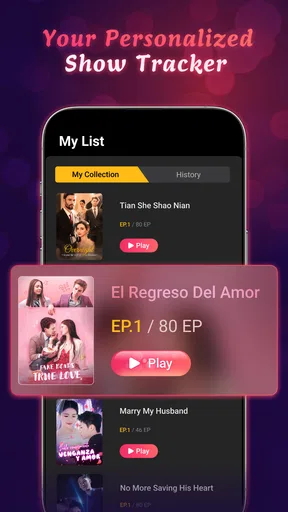
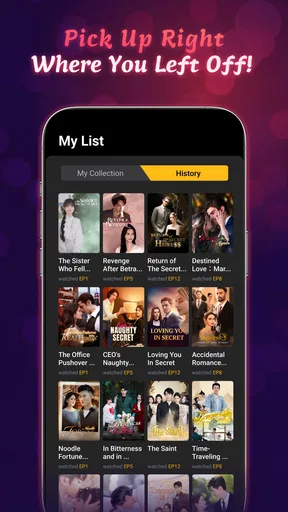

Our Review of MeloShort-Movies&Dramas
 Analysis by Appyee
I tried MeloShort-Movies&Dramas as a quick entertainment app rather than treating it like a full television service, and that distinction matters. Its appeal is simple: it brings popular miniseries into a short-session format, so I can watch a few scenes during a break without committing to a long film or a full-length episode. The app is free, belongs to the entertainment category, and is developed by HALOFUN PTE. LTD.
My overall impression is positive, but not uncritical. The strongest part is the convenience of browsing compact dramas when I want an immediate story. The weaker part is that short-form viewing can feel less predictable than using a conventional streaming app: I may start something expecting a quick conclusion and instead find myself following a continuing storyline. That is not a problem if I enjoy serialized drama, but it can be frustrating when I only have a few minutes.
What MeloShort feels like in everyday use
The app is best understood as a collection of miniseries rather than a replacement for every kind of streaming service. A normal streaming platform is usually built around films, long episodes, documentaries, or large television libraries. MeloShort focuses my attention on shorter dramatic stories. That makes it easier to choose something quickly, especially when I do not want to spend ten minutes comparing full-length titles.
I found this format useful in ordinary situations: waiting for an appointment, taking a lunch break, or relaxing before bed without starting a two-hour movie. The shorter presentation lowers the commitment at the beginning. I can sample a story and decide whether its tone works for me without investing an entire evening.
At the same time, short does not automatically mean simple. A miniseries can still use cliffhangers, recurring characters, romantic tension, family conflict, or sudden reversals. I would not open it expecting every viewing session to provide a complete ending. The better mindset is to treat each session as part of an ongoing story and stop at a natural point when possible.
The app has a Teen content rating, so it is not something I would hand to a young child without checking what is being watched. That rating is also a useful reminder that the dramatic themes may be more suitable for older teenagers and adults than for family viewing. If you are looking specifically for children’s programming or educational video, this is probably the wrong category of app.
Where viewers are most likely to get stuck
The first point of friction is usually expectation. Someone who sees the word “short” may assume that every title is a self-contained clip. In practice, a short-form drama works more like a sequence of small chapters. If the opening episode ends just as the conflict becomes interesting, that is part of the format rather than necessarily a playback fault.
Another common stumbling block is choosing a title too quickly. I recommend looking at the premise and tone before pressing play, especially if you are sensitive to intense relationship drama or family conflict. The app is more enjoyable when I choose a story that matches my mood instead of opening the first visible option and judging the whole service from it.
Navigation can also feel less satisfying if I expect the broad filtering and library organization found in a major streaming platform. MeloShort’s central value is fast access to miniseries, not the feeling of managing a huge personal video archive. If your priority is a carefully organized collection of familiar films, a conventional service may suit you better.
A practical habit helps: before starting, I decide whether I want to sample a story or settle in for several connected segments. For sampling, I use a short break and stop after the opening portion. For a longer session, I keep enough time available to avoid ending repeatedly on unresolved moments. This small change makes the same app feel much more convenient.
Setup checks before blaming playback
The current version is 2.64.02, and the app supports Android 7.0 or later. That gives the service a fairly broad Android reach, but compatibility alone does not guarantee a perfect experience on every phone. Before troubleshooting, I would check the device’s Android version and confirm that the app has been installed normally from the official app marketplace.
I would also restart the app after installation rather than leaving it suspended in the background. On an older or heavily used phone, background processes can interfere with smooth playback or make an app appear slower than it really is. Closing other demanding apps is a sensible first step because it does not change any account settings or risk losing personal information.
Connection quality is another basic check. Short videos still depend on a stable internet path, and a weak signal can look like an application failure even when the app itself is working. I usually compare two situations: trying the same title on a reliable Wi-Fi connection and then trying it on mobile data, if available. If the result changes, the network is the more likely source of the problem.
It is also worth checking whether the issue affects one title or everything. If one miniseries refuses to start while other content plays, I would not immediately reinstall the app. I would leave that title, open another one, and return later. This simple comparison separates a content-specific hiccup from a broader playback problem.
My practical setup rule is to test one short viewing session before changing anything major. That tells me whether the app opens, whether the connection is adequate, and whether the phone handles playback comfortably. It is more useful than repeatedly tapping the same play control and assuming the service is frozen.
Recovering a disrupted viewing workflow
When playback stops unexpectedly, I work from the least disruptive fix to the most disruptive one. First I pause briefly, leave the viewing screen, and reopen the same title. If that does not help, I close and relaunch the app. I avoid immediately deleting the app because a reinstall can create unnecessary setup work and does not solve a weak connection.
If the app appears to open normally but a video will not start, I test another miniseries. This is one of the most useful recovery steps because it gives me information instead of merely repeating an action. A second title working normally suggests that the first item or its temporary loading state is the issue. Nothing is gained by treating every isolated failure as a device-wide problem.
For a session interrupted by a phone call or another app, I return through the same title rather than assuming the previous screen will always be preserved. Short-form services are designed for frequent, brief visits, but mobile operating systems may still remove a background app when resources are tight. Relaunching the app and navigating back is sometimes the cleanest recovery.
If the app becomes consistently unstable, I check for an available update through the marketplace and restart the phone. I would only consider reinstalling after those simpler steps. Before doing so, I make sure I know how I will find the title again, because reinstalling is not a substitute for understanding whether the problem comes from the app, the phone, or the network.
I also recommend avoiding rapid repeated taps. When a video takes time to respond, tapping play several times can make the interface feel more confused. One deliberate attempt, a short pause, and then a controlled restart usually gives a clearer result. This is a small workflow improvement, but it prevents me from creating extra friction during a quick break.
When MeloShort is not the cause
Many viewing complaints begin outside the app. A crowded public Wi-Fi network, weak mobile reception, an overloaded phone, or aggressive battery management can interrupt a perfectly ordinary streaming session. If other video services are also struggling, I would investigate the connection or device before concluding that MeloShort is responsible.
Storage pressure can matter as well, even when I am not downloading video. A phone with very little free space may behave unpredictably, slow down when switching apps, or close background processes. Clearing space from unrelated files and restarting the device is a safer first move than repeatedly reinstalling an entertainment app.
Screen behavior can be misleading too. If the audio seems to continue while the picture is stuck, I check brightness, orientation, and whether another system overlay is covering the viewing area. If the entire phone is unresponsive, that points more toward a device problem than a title-specific issue. I would test basic phone functions before changing app settings.
There is also a difference between a design limitation and a technical failure. A story ending on a cliffhanger is not buffering. A short episode leading into another segment is not missing content. A catalog that feels narrower than a major streaming platform is not automatically broken. Recognizing these differences helps me judge the app fairly and prevents unnecessary troubleshooting.
Who will enjoy it most
I would recommend MeloShort to viewers who like dramatic storytelling but often watch in small pockets of time. It suits someone who wants a quick way to sample popular miniseries, especially when choosing a long movie feels like too much effort. The free price also makes it easy to try without treating the first session as a major commitment.
It is particularly useful for people who enjoy serialized tension. If you like returning to the same characters across several brief installments, the format can be more engaging than a random collection of clips. I also see value for viewers who prefer a phone-first experience and do not need their entertainment app to serve as a complete replacement for every other video service.
The app is less suitable for someone who wants uninterrupted, self-contained viewing. If you have only five minutes and dislike unresolved endings, a short comedy clip or a complete standalone video may be a better choice. It is also not ideal for a household searching for broad family programming, because the Teen rating calls for more careful selection.
Another trade-off concerns attention. The compact format makes it easy to start watching, but it can also encourage “just one more” behavior because each segment feels manageable. I set a stopping point before I begin when I need to sleep or return to work. That is not a defect unique to this app, but the short structure makes the temptation especially noticeable.
How it compares with ordinary streaming alternatives
Compared with a mainstream streaming platform, MeloShort gives me a faster route into miniseries but a narrower purpose. A large service is usually better when I already know the film, actor, or long-running show I want. MeloShort is better when I want to browse a compact dramatic story and begin watching with minimal decision-making.
Compared with social video feeds, the experience is more story-focused. A social feed is excellent for unpredictable, independent clips, while MeloShort makes more sense when I want connected narrative progression. The trade-off is that a miniseries demands more attention than isolated clips, even if each viewing portion is brief.
Compared with free video platforms, the main question is not simply whether both offer entertainment. It is whether I prefer an organized short-drama experience or a much broader mix of creators, topics, and formats. Someone looking for tutorials, news, music, or user-generated variety should choose a broader platform. Someone looking specifically for compact dramatic series may find MeloShort more direct.
My practical verdict after using it
MeloShort is a focused entertainment app with a clear reason to exist: it makes miniseries easier to fit into fragmented mobile time. Its 4.5 average rating from around 99 thousand ratings and more than 10 million installs show that the format has attracted a substantial audience, although popularity does not remove the need to decide whether serialized short drama matches your habits.
I like it most when I treat it as a collection of ongoing stories rather than a library of instant conclusions. I also get better results when I check my connection, test another title before reinstalling anything, and separate normal cliffhangers from genuine playback trouble. Those habits address the main sources of frustration without turning a simple viewing session into technical maintenance.
The app is free, so trying it is straightforward for Android users who meet the minimum system requirement. My recommendation is strongest for older teens and adults who enjoy dramatic miniseries, browse on a phone, and appreciate entertainment that can be started during a short break. I would choose a broader streaming alternative for films, children’s content, documentaries, or a more comprehensive television library.
In the end, HALOFUN PTE. LTD. has built something useful for a specific viewing mood rather than an all-purpose media center. If you want compact stories and can accept that short episodes may still require a longer commitment, MeloShort is worth adding to your entertainment rotation. If you need complete stories on demand or dislike cliffhangers, its central format—not your phone or connection—is likely to be the reason it feels like the wrong choice.
Verdict
Strengths of MeloShort-Movies&Dramas
- Short episodes make it easy to watch during quick breaks.
- Large selection of bite-sized dramas across different genres.
- Vertical video format feels natural on mobile devices.
- New content and episodes are added regularly.
- Personalized recommendations help discover similar stories.
Limitations of MeloShort-Movies&Dramas
- Many episodes may require coins or in-app purchases to continue.
- Frequent ads can interrupt viewing, especially for free users.
- Story quality varies noticeably between different productions.
- Some titles may have limited subtitles or translation accuracy.
- Offline viewing options may be restricted or unavailable for some content.
Other Releases by HALOFUN PTE. LTD.
View All
ShortsWave: Watch Drama Series
Entertainment4.4
Similar Picks in This Category
View All
Google Play Games
Google LLC3.9

Netflix
Netflix, Inc.4.8

YouTube Kids
Google LLC4.2

Disney+
Disney4.4

Prime Video
Amazon Mobile LLC4.7

Steam
Valve Corporation3.2
Frequently Asked Questions
What is MeloShort-Movies&Dramas, and what type of content does it offer?
MeloShort-Movies&Dramas is a mobile entertainment app focused on short-form movies, serialized dramas, and bite-sized episodes designed for quick viewing. Its catalog may include romance, drama, comedy, suspense, and other popular genres. Episodes are generally structured to keep the story moving quickly, making the app suitable for users who prefer watching short installments rather than committing to full-length films or long television seasons.
Is MeloShort-Movies&Dramas free to use, or does it require payment?
The app may be available to download for free, but some content or features can require in-app purchases, subscriptions, virtual coins, or other payments. Depending on the title, users might be able to watch selected episodes at no cost while later episodes are restricted. Before spending money, check the current pricing, renewal terms, refund policy, and whether any trial automatically converts into a paid subscription through the Google Play Store or Apple App Store.
Do I need an internet connection to watch dramas on MeloShort-Movies&Dramas?
An internet connection is generally needed to browse the catalog, load video episodes, synchronize your account, and access streaming features. Whether offline downloads are supported can vary by app version, region, and individual title. If downloading is available, it is worth checking the storage requirements and download restrictions first. Streaming over mobile data may also use a significant amount of data, especially at higher video quality.
Is MeloShort-Movies&Dramas suitable for children and teenagers?
Parents should review the app’s age rating and individual program descriptions before allowing children to use it. Short-drama platforms can contain romantic themes, mature dialogue, emotional situations, violence, suggestive scenes, or advertising that may not be appropriate for younger viewers. The availability of parental controls, content filters, and purchase restrictions may differ between Android and iOS, so families should also configure device-level safety settings.
What permissions and account information does MeloShort-Movies&Dramas request?
During installation or first use, MeloShort-Movies&Dramas may request permissions related to notifications, internet access, storage, or other functions needed for streaming and app operation. It may also offer sign-in through an email address, phone number, or third-party account. Review the privacy policy and permission prompts carefully, and avoid granting access that does not appear necessary. Users should also check how viewing activity, device information, and payment data are handled.
